Free Image & Design Tools for Creators in 2026
Create memes, extract color palettes from photos, compress images without losing quality, and resize pictures — all free and 100% private in your browser.
Introduction: The Power of Free Image Tools
Visual content dominates the internet. From social media posts and blog articles to e-commerce listings and marketing campaigns, compelling images drive engagement, conversions, and brand recognition. Professional design software like Photoshop and Illustrator remains the gold standard, but for many common image tasks, you do not need expensive subscriptions or complex software.
ToolJet Hub offers a collection of free image tools that handle the most frequent image editing and optimization tasks directly in your browser. These tools process everything locally using modern JavaScript and HTML5 Canvas technology, meaning your images are never uploaded to any server. This privacy-first approach makes them ideal for both personal and professional use, including sensitive images that you would not want stored on third-party servers.
In this comprehensive guide, we cover four essential image tools: a meme generator for creating viral content, a color palette extractor for design inspiration, an image compressor for website optimization, and an image resizer for preparing images across different platforms. Each tool is free, requires no signup, and works on any modern browser including mobile devices.
1. Meme Generator — Create Viral Content Instantly
Memes have evolved from internet humor into a legitimate marketing and communication tool used by brands, educators, and content creators worldwide. Our meme generator online lets you create professional-looking memes in seconds without downloading any software or creating an account.
How the Meme Generator Works
The process is simple: upload your base image (or choose from popular templates), add your top and bottom text, customize the font, size, color, and stroke settings, then download the finished meme as a high-quality image. The meme generator online uses Canvas rendering to overlay text with perfect Impact-font-style effects, including the classic white text with black outline that ensures readability on any background.
Creative Uses Beyond Humor
While memes are often associated with humor, the format has proven remarkably versatile. Businesses use memes for social media marketing to increase organic reach and engagement. Educators create memes to make learning materials more relatable and memorable. Internal communications teams use them to boost employee engagement and make announcements more fun. The key is matching the tone to your audience and keeping the message clear and concise.
Tips for Creating Effective Memes
- Keep text short and punchy — the best memes use fewer than 15 words total
- Use high-contrast text colors that remain readable against any background
- Choose images that clearly convey an emotion or reaction relevant to your message
- Stay current with trending formats, but avoid formats that have been overused
- Always consider your audience's sensibilities and cultural context before sharing
Create your next viral meme
Try the Free Meme Generator2. Color Palette Extractor — Capture Colors from Any Image
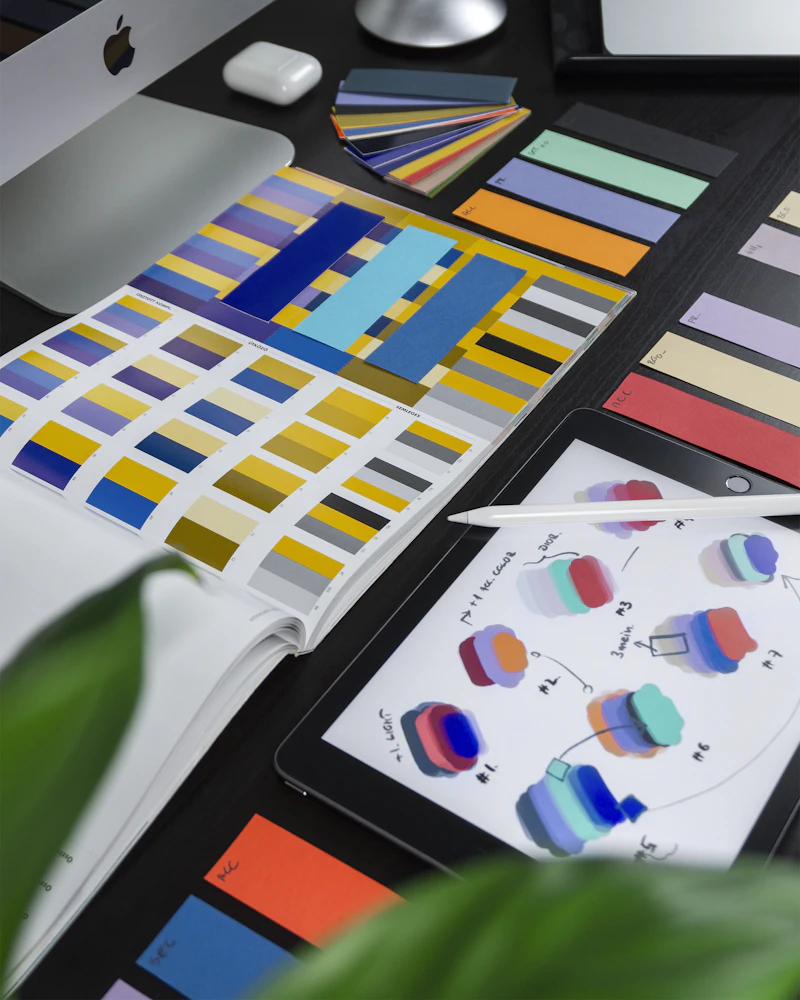
Designers, artists, and brand managers frequently need to extract exact colors from photographs, screenshots, or reference images. The Color Palette Extractor analyzes any uploaded image and identifies its dominant colors, providing exact HEX and RGB codes you can use in your projects.
Advanced Color Extraction Technology
Unlike simple eyedropper tools that only pick individual pixels, our color palette extractor uses sophisticated color quantization algorithms to identify the most visually significant colors in an image. It groups similar pixels together and selects representative colors that capture the overall color harmony of the image. You can extract between 5 and 8 dominant colors, and also click anywhere on the image to pick any specific pixel color.
Practical Applications for Designers
Color palette extraction has numerous professional applications. Web designers use it to create color schemes inspired by photographs or brand imagery. Interior designers extract palettes from inspiration images to guide material and paint selections. Fashion designers analyze trending color combinations from runway photographs. Marketing teams ensure brand consistency by extracting exact colors from logos and marketing materials. The extracted HEX and RGB codes can be directly pasted into any design tool, CSS file, or brand guidelines document.
From Extraction to Application
- Extract colors from competitor websites or successful designs in your industry for inspiration
- Create harmonious color schemes by extracting palettes from nature photographs
- Verify brand color consistency across different materials and digital assets
- Build mood boards by extracting palettes from multiple inspiration images
- Export your palette as a PDF report using the built-in export feature for client presentations
3. Image Compressor — Reduce Size Without Losing Quality
Page load speed directly impacts user experience, search engine rankings, and conversion rates. Images are typically the largest files on a webpage, making compression essential. Our Image Compressor achieves significant file size reductions while preserving visual quality, and it does so entirely in your browser for maximum privacy.
Why Image Compression Matters
Research from Google shows that 53% of mobile users abandon websites that take longer than 3 seconds to load. Images often account for 50-75% of total page weight, making an image compressor without losing quality an essential tool for any website owner. A single uncompressed hero image can exceed 5MB, while proper compression can reduce it to under 500KB with virtually no visible difference. This improvement alone can cut page load times by several seconds.
How Browser-Based Compression Works
Our image compressor uses the HTML5 Canvas API and modern JavaScript compression libraries to process images entirely within your browser. When you upload an image, it is loaded into a canvas element, resampled at your chosen quality level, and re-encoded in the output format. This approach offers several advantages over server-based compression: your images remain completely private, processing is instant with no upload/download wait times, and there are no file size limits imposed by server storage.
Compression Best Practices
- For photographs, JPEG compression at 75-85% quality typically produces optimal results
- For graphics with text, logos, or transparency, use PNG format with palette optimization
- Consider WebP format for web use, which offers 25-35% better compression than JPEG at equivalent quality
- Always compare the original and compressed versions at full size before publishing
- Use the Image Resizer first to reduce dimensions before compressing for maximum savings
4. Image Resizer — Perfect Dimensions for Every Platform
Different platforms and use cases require different image dimensions. An Instagram post needs a 1080x1080 square, a Facebook cover photo requires 820x312, and a website hero image might need to be 1920x600. The Image Resizer lets you resize any image to exact pixel dimensions with options for maintaining aspect ratio, cropping, or stretching.
Smart Resizing Features
The resizer supports multiple resize modes: proportional scaling (maintaining aspect ratio by specifying either width or height), exact dimensions (stretching or cropping to fit), and percentage-based scaling. It handles all common image formats and processes everything in your browser for instant results. You can also batch-resize multiple images for efficient workflow when preparing images for social media campaigns or website galleries.
Common Image Size Requirements
- Instagram Post: 1080 x 1080px (square) or 1080 x 1350px (portrait)
- Facebook Post: 1200 x 630px for optimal sharing
- Twitter/X Header: 1500 x 500px
- LinkedIn Banner: 1584 x 396px
- Website Hero: 1920 x 600-1080px depending on layout
- Email Header: 600 x 200px for most email clients
Bookmark the Image Resizer and keep it ready for whenever you need quick dimension adjustments. Combined with the Image Compressor, you have a complete image optimization pipeline.
The Complete Image Optimization Workflow
For the best results, use these free image tools in a specific order that maximizes quality while minimizing file size:
- Create or Source: Use the Meme Generator to create content, or source your images from photography or design tools.
- Extract Colors: Use the Color Palette Extractor to identify and document the color scheme for consistency.
- Resize First: Use the Image Resizer to set the correct dimensions for your target platform.
- Compress Last: Use the Image Compressor to reduce file size after resizing, as compressing before resizing wastes quality.
This workflow ensures you get the smallest possible file size with the highest quality output, regardless of whether you are preparing images for social media, your website, or print materials.
Frequently Asked Questions
Conclusion
Professional image editing does not have to be expensive or complicated. With ToolJet Hub's free image tools, you can create engaging memes with the Meme Generator, discover design inspiration through the Color Palette Extractor, optimize your website performance with the Image Compressor, and ensure perfect dimensions using the Image Resizer.
All four tools prioritize your privacy by processing everything in your browser, support all major image formats, and require no signup or payment. Whether you are a professional designer, content creator, small business owner, or casual user, these tools provide everything you need for common image tasks. Start using them today and improve your visual content without breaking the budget.